










Obby: Supercar Race on Keyboard
- WASD / Arrow Keys: Move your character.
- Mouse: Look around.
- Spacebar: Jump.
- Mouse Wheel: Zoom in or out.
- Q: Open the pet collection.
- E: Visit the car garage.
- M: View all worlds.
- T: Unlock the teleport.
- R: Activate rebirth.






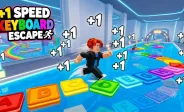


















Obby: Supercar Race on Keyboard
Obby: Supercar Race on Keyboard is an exciting obby racing game where you run across colorful tracks, overcome tricky obstacles, collect cars, and build incredible speed. Every new vehicle helps you move faster, while upgrades and boosts make each run more rewarding. Explore new worlds, complete challenging stages, and collect rare supercars as you progress. With simple keyboard controls and an addictive progression system, this game combines obstacle course challenges, car collecting, and speed upgrades into a fun adventure.
How to Play Obby: Supercar Race on Keyboard
Your goal is to run through obstacle-filled tracks, reach the finish, and earn victories to unlock new areas. Move along colorful platforms, jump over dangerous obstacles, and collect new cars to increase your speed. As you progress, the courses become more challenging, encouraging you to improve your movement and upgrade your character.
Each completed stage brings you closer to new worlds and better rewards. Keep collecting vehicles, use available boosts, and improve your speed to move through the courses more efficiently. The faster you become, the easier it is to explore new areas and work toward unlocking rare supercars.
Collect Cars and Increase Your Speed
Cars are an important part of your progression in Obby: Supercar Race on Keyboard. Collect different vehicles to improve your speed and make each run more exciting. From basic cars to rare supercars, every new addition helps you work toward bigger goals.
You can also use boosts and character upgrades to increase your running speed. Combine these improvements with careful movement to clear obstacle courses faster and earn more victories. Keep expanding your collection to discover how far your speed can go.
Conquer Obby Tracks and Unlock New Worlds
Each stage features colorful paths and obstacles that test your timing and jumping skills. Avoid dangerous gaps, navigate tricky platforms, and stay focused as you race toward the finish line. Completing stages rewards you with victories and opens access to larger areas filled with new challenges.
As you explore more worlds, you will find fresh obstacles and new opportunities to improve your progress. Learn the layout of each course, time your jumps carefully, and use your growing speed to overcome difficult sections.
Use Rebirth for Permanent Bonuses
The rebirth system gives you another way to improve your progress in Obby: Supercar Race on Keyboard. By activating rebirth, you can reset certain progress in exchange for permanent bonuses that help you advance faster. These bonuses make future runs more efficient and help you work toward rare vehicles and higher speed milestones.
Choose when to rebirth based on your progress and goals. With permanent improvements, familiar tracks can become easier to complete, allowing you to focus on unlocking new areas and expanding your car collection.
Features of Obby: Supercar Race on Keyboard
- Colorful obby racing tracks filled with tricky obstacles.
- Multiple cars and rare supercars to collect.
- Speed boosts and character upgrades for faster progression.
- Unlockable stages and new worlds to explore.
- Rebirth mechanics that provide permanent progression bonuses.
- Pet collection, car garage, and world navigation systems.
- Simple keyboard controls combined with 3D exploration.
Controls
- WASD / Arrow Keys: Move your character.
- Mouse: Look around.
- Spacebar: Jump.
- Mouse Wheel: Zoom in or out.
- Q: Open the pet collection.
- E: Visit the car garage.
- M: View all worlds.
- T: Unlock the teleport.
- R: Activate rebirth.
Tips for Playing Obby: Supercar Race on Keyboard
- Keep collecting cars: New vehicles help increase your speed and support your progression.
- Time your jumps: Watch upcoming platforms and jump carefully to avoid falling.
- Upgrade regularly: Use available boosts and character upgrades to improve your performance.
- Explore new worlds: Complete stages to unlock additional areas and challenges.
- Plan your rebirth: Consider permanent bonuses when deciding whether to reset your progress.
- Chase rare supercars: Set collection goals to keep your adventure rewarding.
Frequently Asked Questions
What is Obby: Supercar Race on Keyboard?
Obby: Supercar Race on Keyboard is an obstacle course racing and collecting game where you run through colorful tracks, collect cars, upgrade your speed, and unlock new worlds.
How do you increase speed in the game?
You can increase your speed by collecting new cars, using boosts, and upgrading your character. Rebirth can also provide permanent bonuses that help you progress faster.
How do you unlock new worlds?
Complete obstacle course stages and earn victories to unlock new areas. Each world offers more tracks and challenges to explore.
What does rebirth do in Obby: Supercar Race on Keyboard?
Rebirth resets certain parts of your progress in exchange for permanent bonuses. These improvements help you build speed and advance more efficiently in future runs.
How do you control your character?
Use WASD or the arrow keys to move, the Spacebar to jump, and the mouse to look around. Additional keys let you access the pet collection, car garage, world menu, teleport, and rebirth features.
Play Obby: Supercar Race on Keyboard Online
Ready to race toward incredible speed? Play Obby: Supercar Race on Keyboard online and take on colorful obstacle courses, collect powerful cars, and unlock new worlds. Upgrade your character, master every jump, and chase rare supercars as you build your fastest run yet.